Overview
Microsoft Intune assignment management built for MSPs and enterprises. Standardize, monitor, and validate policy assignments at scale with CSV-driven automation.
Assignment Manager
Standardize Microsoft Intune assignments across multiple tenants or complex enterprise environments from a single desired state file. Deploy, monitor, and maintain consistent assignments at scale with CSV-driven automation.
Multi-tenant & enterprise scale
Deploy consistent assignment patterns across customer tenants (MSPs) or business units (enterprises).
Continuous compliance monitoring
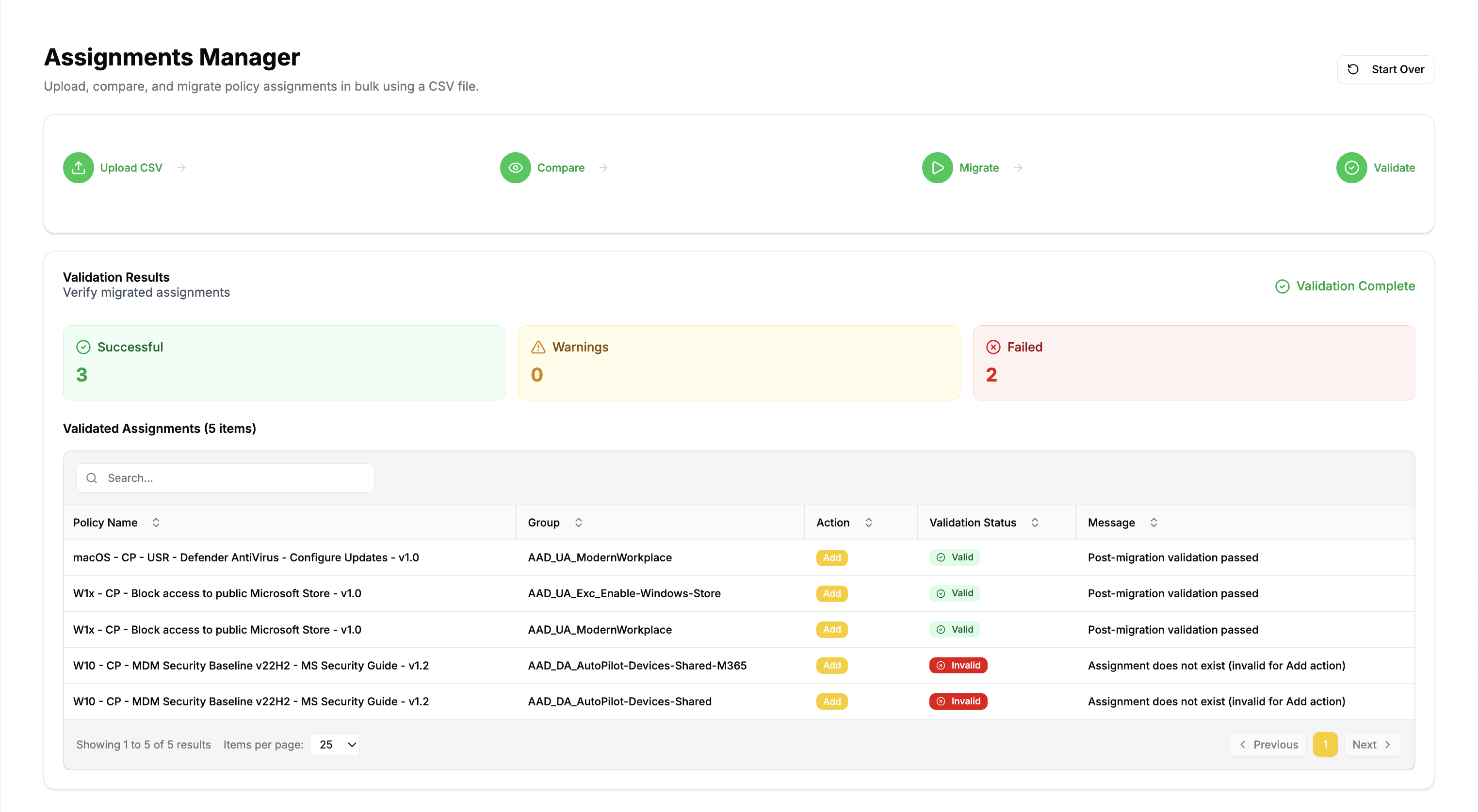
Validate assignments against your desired state CSV and catch configuration drift before it impacts users.
Enterprise-grade automation
Bulk operations, safety validations, and audit trails designed for production environments.
Perfect for MSPs and Large Enterprises
Keep all your customers (multi tenant) "between the lines" by checking assignments using desired state files.
Primary use cases
For Managed Service Providers (MSPs)
- Standardize Intune assignments across multiple customer tenants
- Monitor assignment drift across your customers tenants
- Automate desired state configuration for new customers
- Scale operations without manual work that doesn't scale
What makes this different
Unlike traditional assessment tools that only report what exists, Assignment Manager helps you maintain the desired state:
- Deploy standardized assignments from your CSV templates
- Monitor assignments compliance against your desired configuration
- Correct drift when assignments don't match expectations
Beyond assessment tools
Most tools tell you what's there. This tool ensures what should be there actually stays there.
Quick start workflow
- Create your standardized CSV template for assignments, or create one from existing tenant state
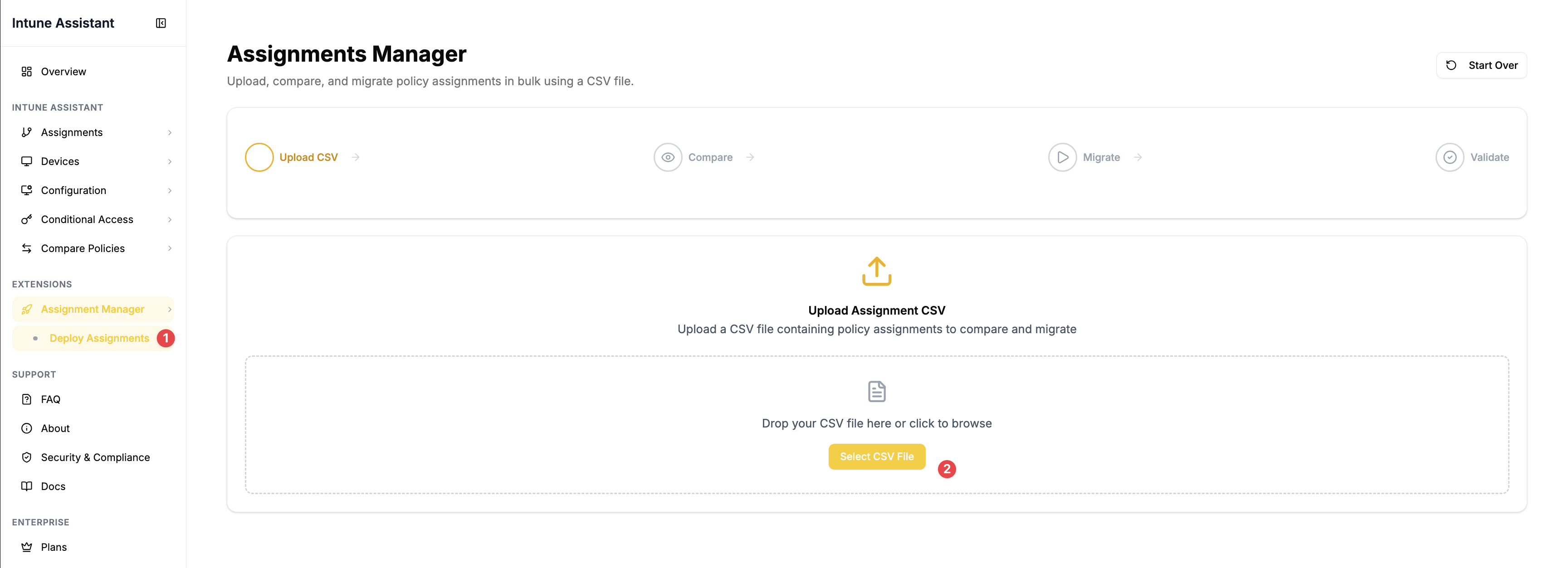
- Go to Extensions → Assignment Manager
- Upload your CSV to see what needs to change
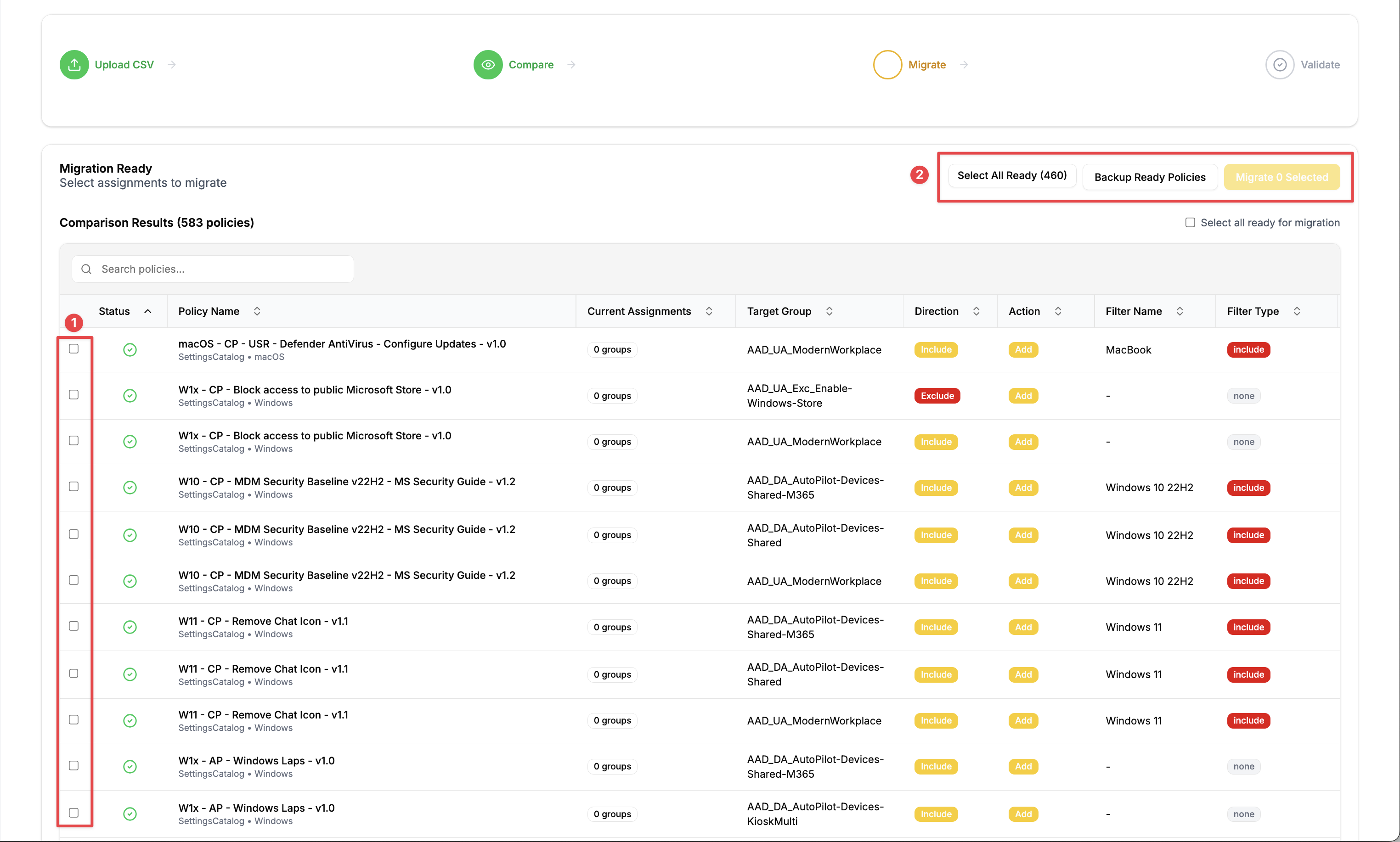
- Review the comparison against current tenant state
- Apply changes and validate results
- Reuse the same CSV across other tenants or environments
Template-driven consistency
Develop your assignment templates once, then deploy them consistently across your entire infrastructure.
Screenshots
Next steps
Learn how to create standardized assignment templates from existing tenant configurations or craft new ones from scratch.
The workflow: template → deploy → monitor → maintain across environments.